Each December (hopefully!) when I start to get ready for the next year's Project Life pages, I make folders for a month or two's worth of weeks in a couple of places. My iPhone photos automatically go to Photos on my computer and there they can be auto sorted by week if I set that up. btw, most of these organizing helpers came from designer Cathy Zielske not my own brain!
Once I have a few weeks' folders ready in Photos, I go to my main EHD where my exported-from-Photos images are really stored in a yearly folder (2018 e.g.). Then I make folders for each week so when I export a copy of each image, I have an empty folder waiting. It's from this folder that I add the links to Lightroom where I do almost all of my editing.
Why are you getting the back story to all this Project Life stuff? well it's because as I added some images Sunday to that EHD, I am reminded that I'm approaching Week 26. That means the year is really half over. It always comes as a bit of a jolt to me as opposed to those many years of being in school where the real-to-me year had solid start and stop points and with that timeless period known as summer in between. Sigh.
Ah adulthood and the way we see time.

Showing posts with label Cathy Zielske. Show all posts
Showing posts with label Cathy Zielske. Show all posts
Tuesday, June 12, 2018

Tuesday, December 8, 2015
Tips on Tuesday December 8, 2015
No travel post today as I've been too busy to get myself into that kind of mode. What I will share are some wonderful quick tips and tutorials I've seen on line. There is a wealth of info out there for free so just keep your eyes open and you'll find a lot to help you with your digital work.
Don't you just love learning how to make something you might have ordinarily bought? but now you can make it your own! How bout this template from Cathy Zielske. I love the video which reminds me of a few skills I'd forgotten and which shows you how to make this. Shortcut keys...if I don't use them I forget them.

Cathy also hared this one on making a Christmas tree shot a bookeh one with an iPhone app. Ok, my tree doesn't look as great as the tutorial one but then it has those crappy colored lights.
Ali Edwards gives a good run down on how to get your December Daily in gear with two videos. These two women are some of the best tutorial writers if you like clean and simple.
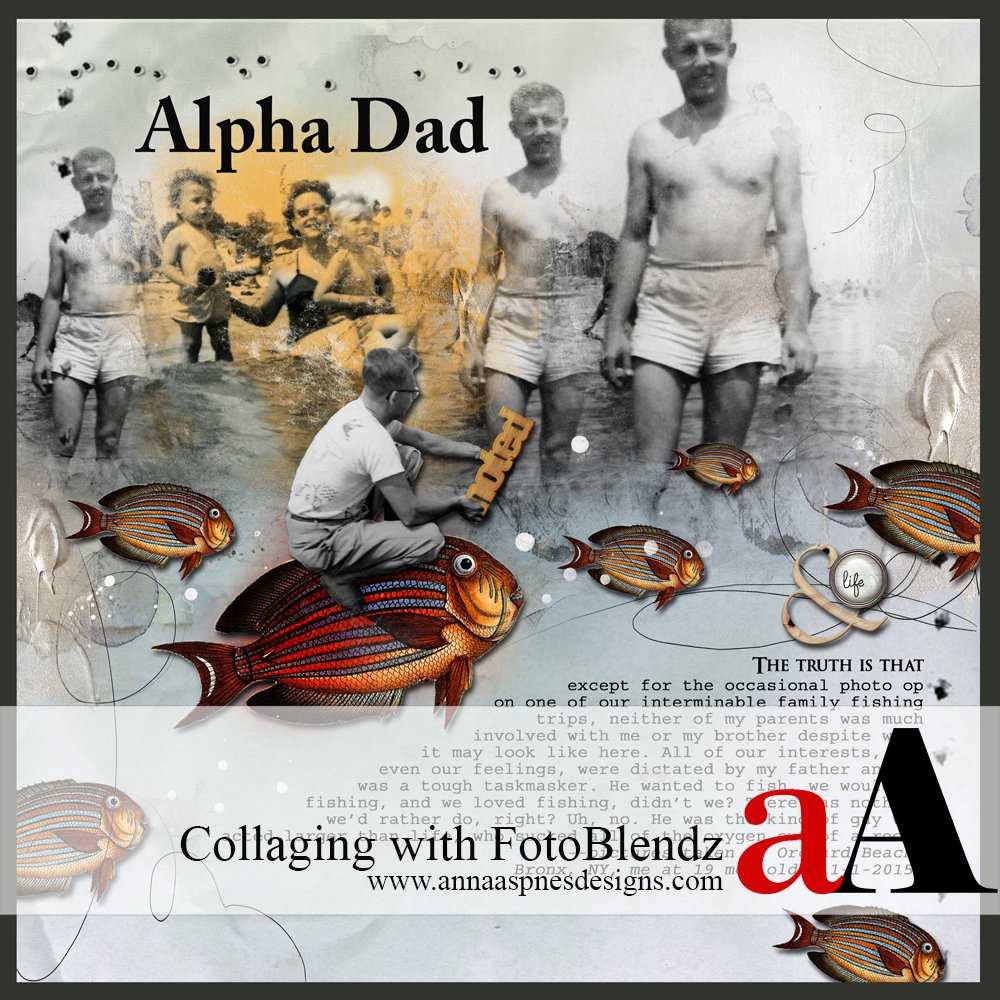
On the other hand, equally talented but a woman who takes her art in a different direction is Anna Aspnes. There is a long list of tutorial videos on her blog and if you need a dose of artsy this winter, do play with some of the techniques you'll see in use. PLAY is the word! You'll be surprised where Anna can take you! Here's a recent one which will show you how to include a multitude of images in the Collage style,

Have fun in your learning and if you know all this, then share a tip with me please!
Don't you just love learning how to make something you might have ordinarily bought? but now you can make it your own! How bout this template from Cathy Zielske. I love the video which reminds me of a few skills I'd forgotten and which shows you how to make this. Shortcut keys...if I don't use them I forget them.

Cathy also hared this one on making a Christmas tree shot a bookeh one with an iPhone app. Ok, my tree doesn't look as great as the tutorial one but then it has those crappy colored lights.
Ali Edwards gives a good run down on how to get your December Daily in gear with two videos. These two women are some of the best tutorial writers if you like clean and simple.
On the other hand, equally talented but a woman who takes her art in a different direction is Anna Aspnes. There is a long list of tutorial videos on her blog and if you need a dose of artsy this winter, do play with some of the techniques you'll see in use. PLAY is the word! You'll be surprised where Anna can take you! Here's a recent one which will show you how to include a multitude of images in the Collage style,
Have fun in your learning and if you know all this, then share a tip with me please!
Monday, August 24, 2015
AAM Monday: Project Life Week 33
It was one of those quiet weeks, so there is only one page. I do have an idea of a matching page I will do of my granddaughters (mainly) at the beach the same week. It's just no done now. We'll see how that goes.
Week 34 - That was filled with Week in the Life which is not done though I was diligent about jotting notes in a passport sized book every day. I have work to do on that and may just transcribe the journaling while on my vacation. That will give me some computer time that does not require a net connection. I'm open to what happens with this.
So...week 33 (I am giving myself some Jin Shin Jyutsu in the selfie. It's not one of those OMG let it end moments. Just in case you thought I was thinking that!)

I must say, I really liked getting back to some red again. I'd been on a green kick for a while - must have been the overabundance of rampant green growth in most everyone's yard round here. Plants grew but with lower temperatures we got lots of leaves, but little else. Oh well, CA would be glad to see it. I am also loving that freebie instagram card from Cathy Zielske. I fell for the Collect app some time ago but those sized cards were a little off for these templates so when Cathy made this one, it was a godsend. Here it is. Get it!
Week 34 - That was filled with Week in the Life which is not done though I was diligent about jotting notes in a passport sized book every day. I have work to do on that and may just transcribe the journaling while on my vacation. That will give me some computer time that does not require a net connection. I'm open to what happens with this.
So...week 33 (I am giving myself some Jin Shin Jyutsu in the selfie. It's not one of those OMG let it end moments. Just in case you thought I was thinking that!)

I must say, I really liked getting back to some red again. I'd been on a green kick for a while - must have been the overabundance of rampant green growth in most everyone's yard round here. Plants grew but with lower temperatures we got lots of leaves, but little else. Oh well, CA would be glad to see it. I am also loving that freebie instagram card from Cathy Zielske. I fell for the Collect app some time ago but those sized cards were a little off for these templates so when Cathy made this one, it was a godsend. Here it is. Get it!
Thursday, October 31, 2013

Tuesday, September 18, 2012
Tuesday Tutorial: PSE Text Overlays for Photos
This is something I learned long ago, but saw again as I was clearing out some of my printed tutorials. Ok, when I first started digital scrapping, there were almost no video tutorials, so whatever I found, I printed out. That's when the fun began as I tried to fathom what the tutorial meant with my Mac PSE4. Yes, version 4 when the rest of the PC PSE world was using version 6. It took Adobe a frickin' long time to realize there were a lot of us Mac users, and today, the two versions come in the same box so you could switch platforms.
Sorry, that was a deep rabbit hole. But this is my blog and I do get a place to rant a bit here.
Ok, back to the making of a that overlay. Many many designers make these and sell them and if it's quick and easy you want...just buy them. They really are worth it. However, there comes a time when you want something NOW and don't want to hunt through the shops for the specific wording you want or you want a special font or you want to use your own handwriting which you've made into a font. So you do it yourself.
Cathy Zielske has both a video AND a print out to share with you. Click HERE. Cathy is super generous and oh so clear in her instructions. Mwahaha!
I played along just to be sure I DID remember this way.
I used one layer for Hello (Archer font) and another layer for los angeles (Yevida font). I then veered off... This is what I did and why.
Lots of times you see a text overlay like this inserted into the frame overlay. Here's how. If you are really satisfied with your text, use the move tool, and drag the text OVER the frame overlay. If you have more than one font layer, link those two layers with the Link tool (looks like a chain link fence).
Once you have the text OVER the part of the frame outline you want to remove, click on the frame outline layer. Be sure you are on this layer!! Go to your erase tool, (just check again that you're on the frame overlay layer) and erase the part of the frame you want. If you goof, there is always Ctrl (CMD on a Mac) -Z. God bless undo.
I moved my text down, and erased. I'm letting you see what could be better. If I had made my frame overlay further (farther?) away from the edge of my photo, I could have done this and still seen that great base of the letter L. Oh well, it just shows that it's practice, practice, practice.

Again, thanks to Cathy Zielske for such great tutorials, and thanks Cathy for being on a Mac!
Sorry, that was a deep rabbit hole. But this is my blog and I do get a place to rant a bit here.
Ok, back to the making of a that overlay. Many many designers make these and sell them and if it's quick and easy you want...just buy them. They really are worth it. However, there comes a time when you want something NOW and don't want to hunt through the shops for the specific wording you want or you want a special font or you want to use your own handwriting which you've made into a font. So you do it yourself.
Cathy Zielske has both a video AND a print out to share with you. Click HERE. Cathy is super generous and oh so clear in her instructions. Mwahaha!
I played along just to be sure I DID remember this way.
 | ||||
| my basic photo - about 6" |
 | |||
| now we have that inner frame |
 |
| now we have the Text Overlay up on the top |
Lots of times you see a text overlay like this inserted into the frame overlay. Here's how. If you are really satisfied with your text, use the move tool, and drag the text OVER the frame overlay. If you have more than one font layer, link those two layers with the Link tool (looks like a chain link fence).
Once you have the text OVER the part of the frame outline you want to remove, click on the frame outline layer. Be sure you are on this layer!! Go to your erase tool, (just check again that you're on the frame overlay layer) and erase the part of the frame you want. If you goof, there is always Ctrl (CMD on a Mac) -Z. God bless undo.
I moved my text down, and erased. I'm letting you see what could be better. If I had made my frame overlay further (farther?) away from the edge of my photo, I could have done this and still seen that great base of the letter L. Oh well, it just shows that it's practice, practice, practice.

Again, thanks to Cathy Zielske for such great tutorials, and thanks Cathy for being on a Mac!
Thursday, February 11, 2010
I keep forgetting
How to do this, so thank you Cathy. Now maybe I'll remember that I have it here on the blog, but don't count on that. But maybe now YOU will remember how to do it if this concept has slipped your mind too. I'm betting that most of the steps are the same in PSE.
Photoshop Frame & Overlay Tutorial from Cathy Zielske on Vimeo.
Tuesday, February 2, 2010
White Space
In this week's lesson at Cathy Zielske's DYL-Design Your Life class at Big Picture Scrapbooking , the subject of the week is White Space. In painting, the negative space. But negative tends to have a bad connotation while white is neutral or better at least. Empty space. Space where the rest of the design, the life can be viewed more clearly. Where what's important stands out, rather than being lost in a jumble, in chaos.
Cathy asked us to look for white space in our homes. Oh how I've longed for white space. It was one of my primary goals in renovation. The redesign of the kitchen to make it more functional and spacious was the immediate goal, but the underlying goal - for me - was white space, spaciousness.
I have it, as long as I don't jumble it up with more, more, more. I did very little decorating for Christmas, so it's not the dregs of Christmas that clutters up my space. It's the little things that I don't take time for. Time to put them away, time to throw them away, time to stop hoarding little things Just In Case. Here are two examples for the cloudy space made into white space.

Here is my kitchen island early this a.m. The things on it are left from last weekend's pantry reorganization. It was something I hadn't intended to do, but a shelf started falling so it had to be done. I've seen that if something irritated me I am less likely to finish it.
5 minutes of work putting things back where they belonged resulted in this.

I am always surprised how little work it takes to get something from a 'hot mess' to white space. It only takes forEVAH in my mind. Are you the same?
Cathy asked us to look for white space in our homes. Oh how I've longed for white space. It was one of my primary goals in renovation. The redesign of the kitchen to make it more functional and spacious was the immediate goal, but the underlying goal - for me - was white space, spaciousness.
I have it, as long as I don't jumble it up with more, more, more. I did very little decorating for Christmas, so it's not the dregs of Christmas that clutters up my space. It's the little things that I don't take time for. Time to put them away, time to throw them away, time to stop hoarding little things Just In Case. Here are two examples for the cloudy space made into white space.

Here is my kitchen island early this a.m. The things on it are left from last weekend's pantry reorganization. It was something I hadn't intended to do, but a shelf started falling so it had to be done. I've seen that if something irritated me I am less likely to finish it.
5 minutes of work putting things back where they belonged resulted in this.

I am always surprised how little work it takes to get something from a 'hot mess' to white space. It only takes forEVAH in my mind. Are you the same?
Saturday, November 14, 2009
Thursday, November 12, 2009
Live Video and more

LIVE SINGLES IN YOUR AREA ARE WAITING TO TALK NOW!
No, no, no...wrong channel. Twas a live video chat last night with Cathy Zielske who chats about it here. The chat was courtesy of Renee Pearson and if you want a great 'How Will I Ever Get Comfortable with PSE" teacher, Renee and her IT backup Kent are the greatest. Check her classes, for it was there that I really cut my digi teeth. Now I mostly skip on the digital yellow brick road.

And no, I can't get Cathy her Amanda Hugginkiss cause she already has that wonder-man Dan. Would that I had a screenshot of that temperature raiser.

It certainly was a fun night, with ice clinking, and people crawling on the floor, and Nick and Nora Owls. This is why digi scrapping is so great, ya know? So how was YOUR Wednesday night???
Friday, September 4, 2009
I am Such a Virgo

I love this kinda thing. Cutting and pasting and making neat lines etc...then even better organizing the whole bit!
I'm taking Cathy Zielske's ME: The Abridged Version digital class. Actually, as you can see from the cutouts, it's got both digital and paper.

We have tags for each letter of the alphabet, and while these were to be done in the summer, somehow that slipped past me. I guess my mind was still up with Gloria at Johns Hopkins and with Bekah out in AZ. Those are the sad parts of the summer but this is the happy and fun part that balances those things. I made my tag book cover red, but forgot that when I printed on cream, I now have Cream of Tomato! Well, that fit's ...at least it's still food, right?

This isn't part of Cathy's class but it's still out on the worktable. It's the inside paper from T!m Holtz's ruler. I am lovin' that thing. I have a metal ruler but my blade kept actually slicing into the metal...aaaaack. Almost as bad as tin foil on a filling! T!m's ruler had minimal packaging and was EZ to open AND the paper inside is going to be used on an ATC ...someday. How cool is that? It's cool in my book. So back to slicing up the tags, cause I have to refocus on the Altered Book for tonight's Artist Way group. Is this a good day or what?!?!?!
Saturday, July 18, 2009
I missed this back in March
For some reason or tother, I haven't had Cathy Zielske's blog on my roll. Silly moi. I have signed up for one of her classes starting in September and so naturally I have finally been reading the blog. I knew I really liked her design style, but only recently have cottened to her humor style. Sometimes ya gotta pay attention. She's sly.
Well, when I saw her Penzeys' post, I was Oh yeah! The woman cooks! Scrolling down, I'm looking and reading and looking and .....bwahahaha. Funny, they don't sell that in the Falls Church store or maybe it's under the counter and you have to ask.

Can you imagine how much fun a live class with her would be? Wet the pants fun I'd think and I hope one will be in my future. One winter come East Cathy. It will be almost balmy for ya! Until then, why not join me in her on line class. I like classmates.
Well, when I saw her Penzeys' post, I was Oh yeah! The woman cooks! Scrolling down, I'm looking and reading and looking and .....bwahahaha. Funny, they don't sell that in the Falls Church store or maybe it's under the counter and you have to ask.

Can you imagine how much fun a live class with her would be? Wet the pants fun I'd think and I hope one will be in my future. One winter come East Cathy. It will be almost balmy for ya! Until then, why not join me in her on line class. I like classmates.
Subscribe to:
Posts (Atom)
Popular Posts
-
 What a fun idea to do for an art journal! I saw this here , and couldn't wait to try it. I had some Hawaii tags that had been printed o...
 -
 Week 4 had lots of good things. The lunch at the Seafood Palace, the way the cat loves to sleep here, there and most anywhere, the art finis...
 -
 Our life changed a good deal in early January so my time became very busy. These two weeks tell that story in a very abbreviated fashion. I...
 -
 Hop hop hop. I decided to join in this one which is unusual for me but thought what the heck. Try something different. I think I am about on...
 -
All in all, I am happier barefoot and if we didn't have an old cat who is prone to regurgitation, I'd be barefoot a lot. But this i...
-
 So far this year, I've only done one page for each week. I wasn't sure how that would go but I seemed to be pulled in so many direc...
 -
 Feeding America It's that time of year again. A good time. The sun is out, the gardens are starting to look like they have halfway forgo...
 -
 Well here it is December and my 30 Days of Thankful is complete. I may print these myself as I have a new HP Envy Printer and 3 months of f...
 -
 Sometime you just have to change things about, and this is one of them. I think I will always be able to find five facts for Friday to sha...
 -
 While I have been keeping my OLW, One Little Word , of LEARN in my mind over the past couple of months, a lot of serious travel has kept m...
